Introducing DFIR Toolkit: Privacy-First DFIR utilities that run entirely in your browser
There is no shortage of cybersecurity tools online.
What is still surprisingly rare, however, is finding one that is both useful and respectful of the analyst’s workflow.
That is the idea behind DFIR Toolkit, a project I built to offer a set of lightweight, browser-based utilities for digital forensics and incident response. The goal is simple: make common DFIR tasks faster, easier, and safer, without forcing users to upload potentially sensitive data to a remote server.
In brief
- DFIR Toolkit offers lightweight browser utilities for common triage tasks without backend upload.
- The design prioritizes speed, privacy, and analyst workflow continuity during real incidents.
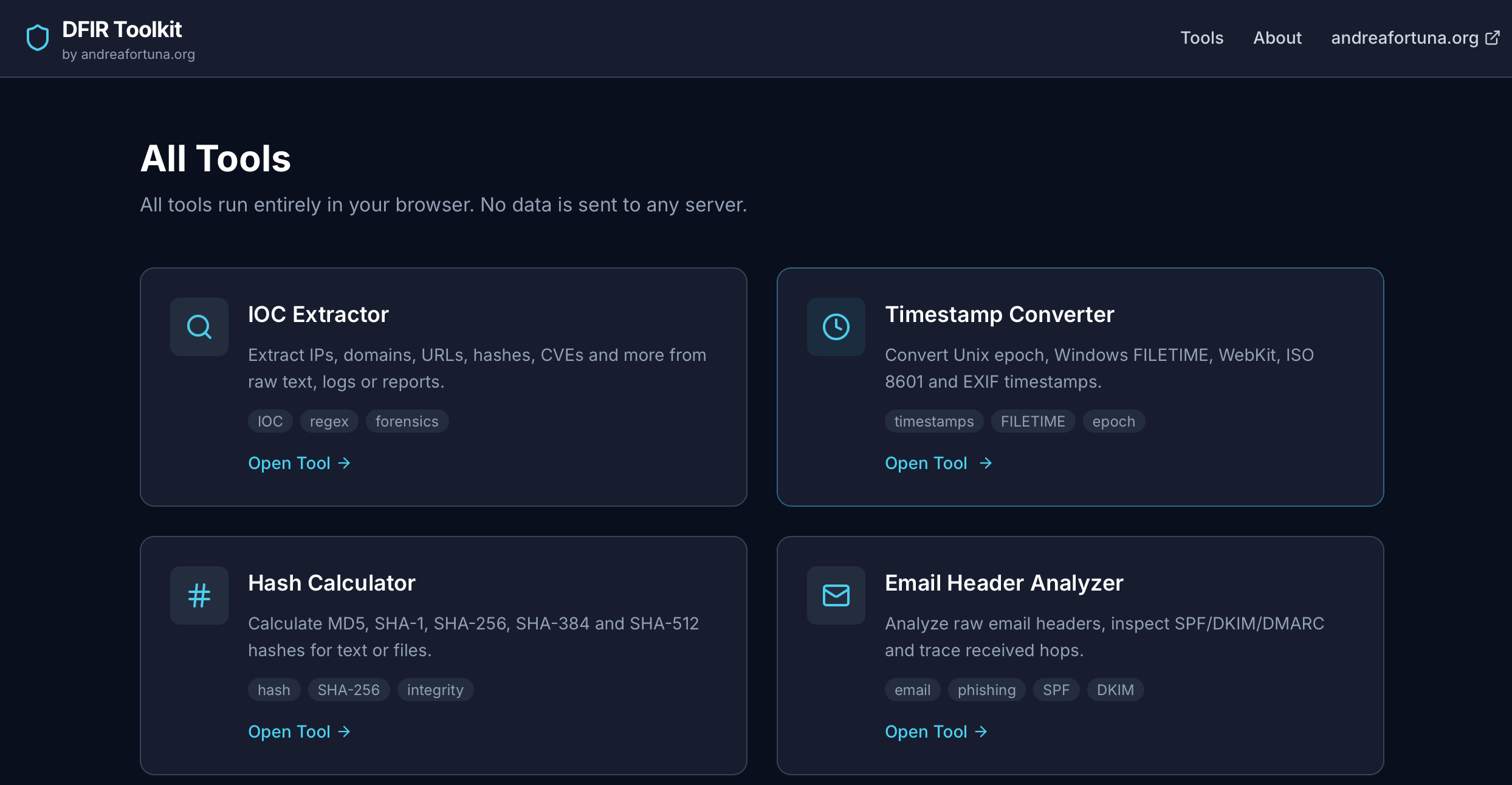
- The first release focuses on IOC extraction, timestamp conversion, hashing, and email header analysis.
- The project is intended as an operational aid, not a replacement for full forensic suites.
Why I built it
In everyday DFIR work, there are a few recurring tasks that appear over and over again:
- extracting indicators of compromise from raw text;
- converting strange timestamp formats into something readable;
- calculating file hashes quickly;
- inspecting suspicious email headers during phishing triage.
None of these tasks are especially glamorous. But they are constant, and they are often urgent.
In practice, analysts often use a mix of local scripts, terminal commands, commercial suites, and random online tools. That approach works, at least until it doesn’t. Some tools are too heavyweight for quick triage. Others require installation, accounts, or external uploads. And when you are handling logs, email headers, or investigative notes, sending data to a third-party service is not always a great idea.
So I decided to build something different: a set of small, focused DFIR tools that run entirely in the browser.
The core idea
DFIR Toolkit is built around a straightforward idea:
fast forensic triage, zero setup, local analysis only.
In practice, that means:
- no login;
- no backend analysis pipeline;
- no mandatory upload to a remote server;
- no unnecessary friction.
You open the page, paste or drop the data, and get the result immediately.
For users, the experience should feel almost disposable: quick to access, quick to use, and quick to trust.
On the technical side, building useful DFIR tools without relying on a backend is an interesting challenge. It forces you to think carefully about browser capabilities, parsing logic, performance, and user experience.
The first four tools
The initial release focuses on four utilities that cover common DFIR and triage scenarios.
IOC Extractor
This tool takes raw text (logs, reports, notes, copied email bodies, console output) and extracts common indicators of compromise such as:
- IPv4 addresses;
- domains;
- URLs;
- email addresses;
- file hashes;
- CVE identifiers.
The output is grouped, deduplicated, and structured so that the analyst can immediately copy, export, or pivot into external services such as VirusTotal, AbuseIPDB, Shodan, URLScan, MITRE, or NVD.
It is not meant to replace full enrichment platforms, but to reduce friction between “I have raw text” and “I have structured indicators I can work with.”
Timestamp Converter
Timestamps are one of those things that keep wasting time in investigations.
Unix epoch, milliseconds, Windows FILETIME, WebKit timestamps, ISO 8601, odd application-specific date strings: every analyst has lost at least a few minutes to these conversions, usually at the worst possible time.
The Timestamp Converter is meant to solve that quickly. Paste one value or a batch of values, and the tool tries to detect the format and convert it into multiple useful representations.
It is a small utility, but in DFIR, small utilities are often the ones you use every day.
Hash Calculator
This is another classic: calculating hashes for text or files without opening a shell or relying on a separate desktop tool.
The Hash Calculator supports common algorithms such as MD5, SHA-1, SHA-256, SHA-384, and SHA-512. The interesting part is that it works directly in the browser, using modern browser capabilities for cryptographic operations.
That makes it useful not only for analysts, but also for students, consultants, and anyone who needs a quick integrity check without leaving the browser.
Email Header Analyzer
Phishing investigations often begin with a wall of raw email headers that nobody wants to read manually.
The Email Header Analyzer parses that mess into something more structured and understandable. It helps highlight:
- sender and reply-to information;
- authentication results such as SPF, DKIM, and DMARC;
- received hops;
- extracted IP addresses;
- suspicious inconsistencies that deserve a closer look.
It is not a full mail forensics suite. It is a fast way to go from “paste raw headers” to “I already have a first triage view.”
Why browser-based matters
One of the strongest ideas behind this project is that some forensic support tasks are perfectly suited to run client-side.
Not every DFIR workflow belongs in the browser. Memory analysis, disk image parsing, and large-scale evidence handling still require traditional tooling. But there is a wide category of micro-tasks that can absolutely benefit from a browser-first approach.
When it does, a few advantages are immediate:
- privacy: sensitive content does not need to leave the analyst’s machine;
- speed: no setup, no queue, no remote processing;
- accessibility: the tool works on any modern browser;
- portability: useful whether you are on your workstation, a client system, or a temporary investigation environment.
That combination makes browser-based DFIR utilities much more practical than many people assume.
The technology stack
From the outside, DFIR Toolkit looks simple.
Under the hood, it uses a stack chosen for one reason: make browser-native analysis practical.
Here is the main setup behind the project:
- Next.js for the application structure and static export;
- Tailwind CSS for a clean, lightweight UI;
- Web Crypto API for browser-side hashing operations;
- client-side parsing logic for IOC extraction, timestamp handling, and email header analysis;
- Cloudflare Pages for fast global delivery of a static site.
Architecturally, the app is designed to stay as close as possible to a static, client-driven model.
That means no heavy backend, no unnecessary infrastructure, and fewer moving parts. It also means simpler deployment, easier maintenance, and a workflow that fits well with small, focused utilities.
In other words, the stack is not there to look modern; it is there because it fits the job.
Building useful tools instead of complicated platforms
I have always liked tools that solve one clear problem well.
Cybersecurity is full of platforms, dashboards, ecosystems, and feature sprawl. Those things have their place, of course. But there is also a lot of value in building software that does one job cleanly and immediately.
DFIR Toolkit follows that philosophy.
It is not trying to replace your forensic suite, SIEM, mail gateway, notebook, or terminal. It is trying to become one of those tabs you keep open because it saves you time several times a week.
That is a much more realistic goal and, in my opinion, a far more interesting one.
What comes next
This release is only the starting point.
The roadmap already includes ideas for additional privacy-first browser utilities, especially around lightweight DFIR, parsing, and analyst productivity. There is a lot of room to expand this into a broader toolbox while keeping the same design principle: fast, local, and frictionless.
If this first version proves useful, I plan to keep iterating on both the existing tools and the overall library.
For now, the most important thing is simple: ship something practical, let people use it, and improve it based on real workflows.
Try it
If you want to test the project, you can access it here:
dfir-toolkit.andreafortuna.org
I built it for analysts, incident responders, consultants, students, and curious defenders who just want a faster way to handle small but frequent DFIR tasks.
Sometimes the best tool is not the biggest one.
Sometimes it is simply the one that opens instantly and gets the job done.
FAQ
Is DFIR Toolkit meant to replace enterprise forensic platforms?
No. It complements them by speeding up recurring low-friction triage tasks before deeper analysis.
Why run tools entirely in the browser?
Local processing reduces data exposure risk and avoids account setup or upload delays during investigations.
What is the best first use case?
Start with IOC extraction and email header triage, where analysts usually need fast parsing and quick validation.