Windows 11 quietly introduced a new execution artifact investigators should start checking
Digital forensics often rewards people who look in places nobody else is checking yet.
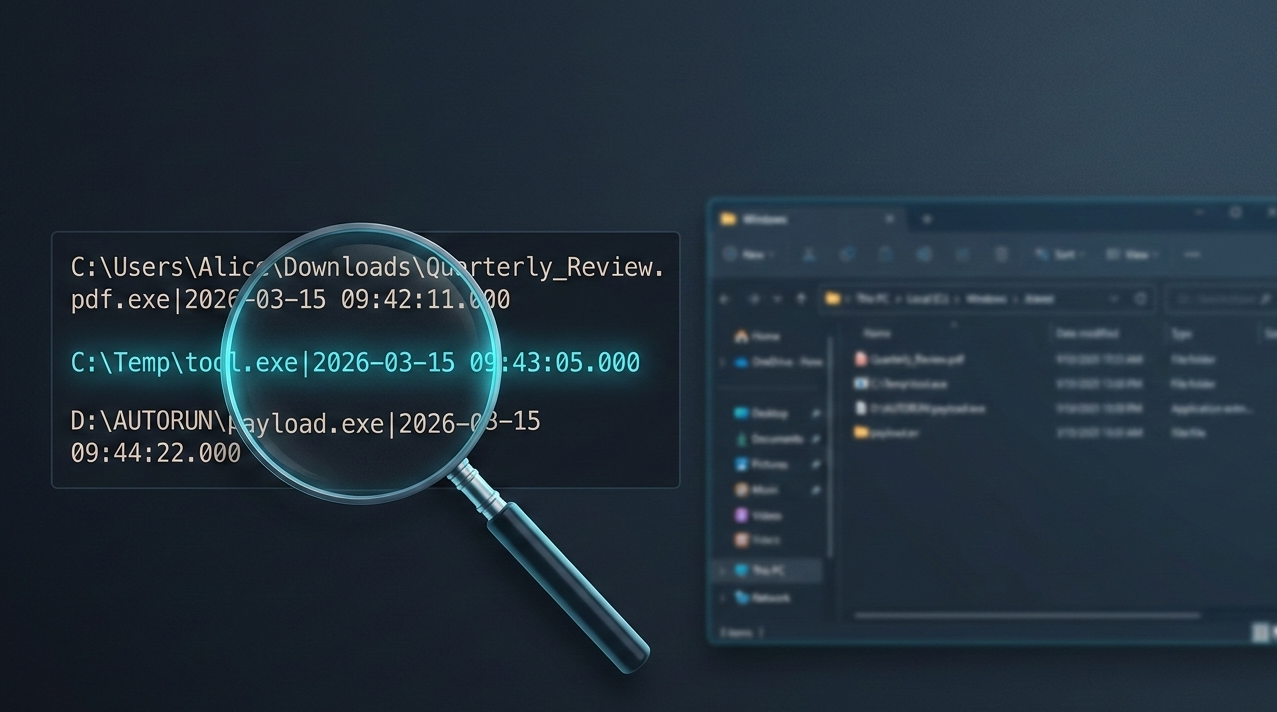
That is exactly why a small and almost invisible Windows 11 artifact deserves more attention than it is getting today. Starting with Windows 11 (22H2+), Microsoft introduced a plain text execution trace tied to the Program Compatibility Assistant service, and it can be surprisingly useful during an investigation.
The location is:
C:\Windows\appcompat\pca\PcaAppLaunchDic.txt
Inside that directory, investigators may find text files that record programs launched through Explorer, including the full executable path and a UTC timestamp. No proprietary parser is required. No obscure binary structure needs to be decoded first. In many cases, the evidence is simply sitting there in readable text.
That alone should make DFIR analysts, incident responders, and threat hunters pay attention.
Why this artifact matters
Most Windows investigations still revolve around the usual execution artifacts: Prefetch, Amcache, Shimcache, UserAssist, SRUM, Jump Lists, and event logs. Those sources remain valuable, of course, but they all come with caveats. Some are disabled in certain environments. Some are noisy. Some require careful interpretation. Some are easy to misunderstand if taken in isolation.
What makes the PCA launch dictionary interesting is not that it replaces those artifacts. It does not. What makes it interesting is that it adds a fresh and highly readable layer of evidence that many analysts are not yet including in their workflow. If an attacker, insider, or end user launched a program by double-clicking it in Explorer, there is a chance this artifact captured that action with enough detail to become immediately useful. That includes binaries executed from local folders, removable media, and even network shares.
From an investigative perspective, that creates several opportunities. First, it can help answer a very simple but very important question: was this executable actually launched on this system? Second, it can help connect an alert to user activity. Suppose EDR telemetry flags a suspicious binary in C:\Temp, or a malicious file downloaded to the Desktop disappears before triage begins. If it was launched through Explorer, this artifact may still preserve the path and time of execution even after the file itself has been deleted. Third, it gives responders another way to validate or challenge a timeline. In real cases, confidence often comes from correlation, not from a single log entry.
What Windows is doing behind the scenes
The artifact is linked to the Program Compatibility Assistant service, also known as PcaSvc. This service has existed since the Windows Vista era and was originally designed to monitor launched applications, detect compatibility issues, and suggest fixes when older software behaved badly on newer Windows versions. With Windows 11 (22H2+), Microsoft added a more persistent text-based tracking mechanism to support that process.
In other words, this was not created for digital forensics. It was created for system functionality. But as often happens in incident response, an operating system feature built for one purpose ends up becoming valuable evidence for another. That is also why this artifact may remain underused for a while. Many analysts focus on the evidence sources they already know well, and new ones tend to spread slowly across the DFIR community. Until a source is documented in popular cheat sheets, supported by mainstream tools, and discussed in conference talks, it often stays in the blind spot.
Reading the artifact
The file format is plain text, encoded in UTF-16 LE, with one entry per line. Each line contains the full executable path followed by a pipe-separated UTC timestamp. Here is what a raw entry looks like:
C:\Users\Alice\Downloads\Quarterly_Review.pdf.exe|2026-03-15 09:42:11.000
C:\Temp\tool.exe|2026-03-15 09:43:05.000
D:\AUTORUN\payload.exe|2026-03-15 09:44:22.000
The third entry above is particularly interesting: D:\ is a removable drive. The artifact records the full path at the time of execution, which means USB-based delivery is immediately visible from the path prefix alone.
Quick triage with PowerShell
During live response or remote triage, you can read and display the file content directly with PowerShell. Because the file is UTF-16 LE encoded, a standard Get-Content call needs the correct encoding parameter:
Get-Content -Path "C:\Windows\appcompat\pca\PcaAppLaunchDic.txt" -Encoding Unicode
To filter for entries containing suspicious paths like C:\Temp, Downloads, or AppData, you can pipe into Select-String:
Get-Content -Path "C:\Windows\appcompat\pca\PcaAppLaunchDic.txt" -Encoding Unicode |
  Select-String -Pattern "Temp|Downloads|AppData|\\Users\\"
Collecting the file during triage
For offline or image-based analysis, grab the file before acquisition or use it as part of a targeted collection. A simple copy via cmd works:
copy "C:\Windows\appcompat\pca\PcaAppLaunchDic.txt" %USERPROFILE%\Desktop\PcaAppLaunchDic.txt
For KAPE users, the artifact is available in the !SANS_Triage target collection or can be added manually. The Eric Zimmerman KAPE target path to include is:
C:\Windows\appcompat\pca\PcaAppLaunchDic.txt
C:\Windows\appcompat\pca\PcaGeneralDb0.txt
C:\Windows\appcompat\pca\PcaGeneralDb1.txt
Note that the PcaGeneralDb files alternate as active logs and contain additional detail about compatibility errors and application exits, making them a useful companion to PcaAppLaunchDic.txt.
Parsing with Python
If you want to automate parsing across multiple endpoints or integrate this artifact into a larger pipeline, here is a minimal Python snippet that reads the file, splits each line on the pipe separator, and outputs structured results:
import sys

def parse_pca(filepath):
    results = []
    with open(filepath, encoding="utf-16-le", errors="replace") as f:
        for line in f:
            line = line.strip()
            if "|" in line:
                path, timestamp = line.rsplit("|", 1)
                results.append({"path": path.strip(), "timestamp": timestamp.strip()})
    return results

if __name__ == "__main__":
    entries = parse_pca(sys.argv[1])
    for e in entries:
        print(f"[{e['timestamp']}] {e['path']}")
Run it as:
python3 parse_pca.py PcaAppLaunchDic.txt
For a more robust implementation with timeline output and CSV export, Harlan Carvey published PCAParse, a dedicated Perl-based parser that converts timestamps to Unix epoch format and supports batch processing.
What kind of activity it can reveal
The strongest use case is straightforward: a user opens Explorer, browses to a file, and launches an executable by double-clicking it. That covers a lot of real-world intrusion activity. Think about how many malicious payloads are still executed through social engineering. A user receives a ZIP archive, extracts it, and opens a fake invoice from the Downloads folder. An operator drops a tool into C:\Temp during hands-on-keyboard activity and launches it manually. A technician runs a utility from a USB drive. A user opens a renamed executable from a network share because it looks like a document. Those are all situations where an artifact like this can become extremely helpful.
Its usefulness grows even more when the original file is gone. Attackers delete tools. Users clean up temporary folders. Automated maintenance jobs remove leftovers. In many cases, the executable that matters most no longer exists by the time the investigation starts. If the PCA launch dictionary still contains the path and timestamp, that missing file stops being a dead end and becomes a concrete event in the timeline.
That persistence also gives this artifact anti-forensic significance. A lot of cleanup activity is built around well-known traces. Adversaries may clear Prefetch, remove LNK files, wipe recent items, or run commodity anti-forensic tools that target the usual evidence stores. Less common artifacts are often left behind simply because the attacker does not know they exist.
A practical example
Imagine a workstation involved in a suspected phishing incident. The email attachment is gone. The downloaded file is gone. The user insists they only previewed a document and never executed anything. EDR captured a weak signal but not enough to reconstruct the full chain of events. Prefetch is inconclusive because of system noise and retention limits.
During triage, you check the PCA launch dictionary and find:
C:\Users\Alice\Downloads\Quarterly_Review.pdf.exe|2026-03-15 09:42:11.000
That one line changes the investigation. Now you have:
- Evidence that the file was executed, not just downloaded
- The exact path used at execution time, including the deceptive double extension
- A UTC timestamp that can be correlated with mail logs, browser history, DNS requests, process creation events, and user activity
- A starting point for scoping similar activity on other endpoints
If the same campaign involved execution from a USB drive or a mapped share, the path prefix (D:\, E:\, or a UNC path like \\server\share\) may immediately reveal the delivery mechanism without any additional pivoting.
Limits and caveats
As useful as it is, this artifact should not be oversold. The Sygnia research team and others in the community have documented several important constraints.
The first caveat is scope. The launch dictionary is associated with programs launched through Explorer. It is not a universal process execution log. If a binary was started from cmd.exe, PowerShell, WMI, PsExec, a scheduled task, a service, or another non-Explorer mechanism, you should not assume it will appear there.
The second caveat is encoding. The file uses UTF-16 LE encoding. Tools or scripts that assume UTF-8 or ASCII will either fail silently or produce garbage output. Always specify the correct encoding when reading the file programmatically, as shown in the snippets above.
The third caveat is interpretation. Presence of an entry strongly suggests execution through Explorer, but absence does not prove non-execution. This should be treated as one source in a larger body of evidence, not as the single authority on what ran. There is also the usual enterprise reality: endpoint hardening, cleanup routines, virtualization, and imaging practices can all influence what survives and what does not.
Why defenders should add it to their workflow now
The best time to learn a new artifact is before you need it in a live case. If you work in DFIR, SOC operations, threat hunting, malware analysis, or internal investigations, this is worth adding to your checklist today. It takes little effort to inspect, it is easy to explain to stakeholders, and it can produce immediate value in cases involving user-driven execution.
At a minimum, defenders should:
- Validate the artifact in a controlled lab on Windows 11 (22H2+) systems
- Test different launch methods, including Explorer, command line, PowerShell, USB media, and network shares
- Document what is recorded, when it appears, and how long it persists under different conditions
- Update triage playbooks to include the
C:\Windows\appcompat\pca\directory in targeted collection - Compare results with other artifacts such as Prefetch, Amcache, UserAssist, and event logs for timeline correlation
- Check whether current forensic tooling already supports collection or whether manual review is still required
A quick reference video from 13Cubed and the Kaspersky Securelist analysis of Windows 11 forensic artifacts are both excellent starting points if you want to go deeper on this topic and the broader changes that Windows 11 brings to a typical forensic workflow.
This also matters for another reason: once a useful artifact becomes widely known, attackers eventually adapt. Today, many anti-forensic tools do not touch it. Tomorrow, some probably will. That window between discovery and widespread attacker awareness is when defenders get the most value from a source like this.
A broader takeaway for investigators
There is a broader point here beyond one Windows folder. Operating systems are full of small implementation details that create unexpected evidence. Some are documented. Some are barely discussed. Some sit in plain sight for months before the DFIR community realizes how useful they are. The investigators who consistently produce strong results are usually the ones who stay curious about those details. They do not stop at the standard artifact set. They keep testing, correlating, and asking a simple question: what else is this system quietly recording?
The PCA launch dictionary is a good reminder that useful evidence does not always arrive in a sophisticated format. Sometimes it is just a text file in a directory nobody bothered to open. And sometimes that text file is exactly what tells you the attacker really did double-click that payload in C:\Temp.
If you investigate Windows 11 systems and you are not checking this artifact yet, now is a good time to start.