Apple Watch forensics: acquisition techniques and evidentiary artifacts
In most digital investigations involving Apple devices, the iPhone gets all the attention. It is the backup target, the iCloud anchor, the logical endpoint of every iOS acquisition workflow. The Apple Watch, by contrast, tends to be treated as a peripheral: something to photograph, bag, and note down in the chain of custody before focus shifts back to the phone. That attitude is increasingly difficult to justify.
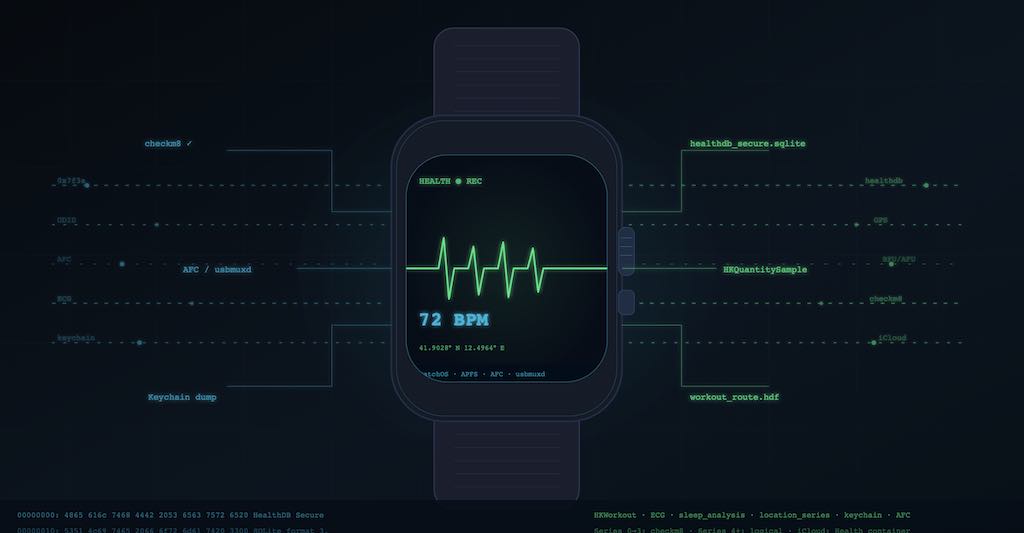
In brief
- Apple Watch evidence is fragmented across the watch, paired iPhone, and cloud-linked services.
- Acquisition options vary by hardware generation and strongly affect artifact depth and reliability.
- Health, activity, and usage artifacts can support timeline reconstruction when interpreted with pairing context.
- Chain-of-custody quality depends on documenting method limits and synchronization state.
The hardware and OS landscape
Apple Watch runs watchOS, a derivative of iOS that shares the same kernel, APFS filesystem, and security model but diverges significantly in its connectivity model and physical interface. There is no built-in USB port. The available acquisition path depends primarily on the SoC generation and the resulting security vulnerabilities:
| Series | SoC | Vulnerability | Acquisition Method |
|---|---|---|---|
| 0 - 3 | S1, S1P, S2 | checkm8 | Full Filesystem |
| 4 - 5 | S4, S5 | None | Logical |
| 6 | S6 | None | Logical (Wired Adapter) |
| 7 - 10, SE2, Ultra | S7 - S9 | None | Logical (Wireless Adapter) |
Because checkm8 targets the read-only boot ROM, it cannot be patched by software updates. This means that regardless of the watchOS version running on these legacy models, a full filesystem and keychain extraction is possible without knowing the passcode, as long as the examiner can establish a physical connection to the device. For Series 4 and later, the acquisition ceiling is logical, and it depends heavily on the device’s lock state and pairing status.
watchOS, like iOS, implements data protection classes that tie file encryption to the device passcode and unlock state. The distinction between BFU (Before First Unlock) and AFU (After First Unlock) applies here in the same way it does on an iPhone: in BFU, the protection class keys are not loaded into memory, and most user data is cryptographically inaccessible. The watch enters BFU state after a restart or after the wrist detection sensor determines the watch has been removed and a configurable timeout has elapsed. An examiner who receives a watch that is already in BFU state, without the passcode, faces significant constraints on modern hardware.
Acquisition paths: a tiered map
The most effective way to structure Apple Watch acquisition is into three distinct tiers, defined by the depth of access they provide.
Checkm8-based full filesystem extraction (Series 0 through Series 3)
For legacy models, Elcomsoft iOS Forensic Toolkit implements what the vendor describes as “perfect acquisition” on Series 0 and full filesystem extraction with keychain on Series 0 through Series 3. The procedure requires a Mac or Linux workstation, a compatible cable or dock adapter depending on the model, and the watch to be placed in Device Firmware Update (DFU) mode. Once the bootrom exploit is active, the toolkit mounts a custom ramdisk that bypasses the normal boot sequence, then images the APFS container. The resulting image includes the full /private/var/ user partition, the keychain database, and all the application sandboxes. Crucially, this extraction does not require the passcode because the bootrom exploit bypasses the Secure Enclave’s enforcement of data protection at the filesystem level, and decryption keys can be derived without user intervention.
The practical implication is that a Series 0, 1, 2, or 3 Apple Watch can yield complete data even from a locked device seized without any cooperation from its owner. This is the closest Apple Watch forensics gets to a true physical acquisition in the classic sense, and it is likely to remain available for these models indefinitely since the vulnerability is in hardware.
Logical and advanced logical extraction (Series 4 and later)
For devices Series 4 and later, the checkm8 path does not exist. The only direct extraction available from the watch itself is logical, using the same USB multiplexer (usbmuxd) protocol that governs iPhone forensic acquisition. The watch must be unlocked for the connection to be established, a requirement that parallels the restriction iOS devices operate under in the context of Lockdown Mode. If the watch is locked and no pairing trust has been established with the forensic workstation, the acquisition cannot proceed.
When the watch is unlocked and connection is possible, the following data is available through the Apple File Conduit (AFC) protocol: device information (hardware model, UDID, serial number, Bluetooth and Wi-Fi MAC addresses, disk capacity breakdown, watchOS version), the list of installed applications with installation timestamps, media files in the DCIM folder including photos synced from the paired iPhone and any audio recordings, and the iTunes_Control/iTunes/MediaLibrary.sqlitedb file, which contains iCloud account identifiers and the catalog of media purchases associated with the account.
The AFC path does not provide access to application sandboxes, health databases, or the keychain. It is useful for establishing device context and recovering media, but it is far from a complete picture of what the watch holds.
For Series 6 and newer, Elcomsoft’s May 2025 update to iOS Forensic Toolkit extended logical acquisition support to the full current lineup. Series 6 requires a wired third-party adapter; Series 7 through 10, SE2, Ultra, and Ultra 2 use a wireless adapter. The process must be performed on macOS or Linux, not Windows, and on macOS requires a helper command running in a separate terminal session throughout the acquisition. The device must be unlocked, the connection is sensitive to physical positioning of the adapter, and repeated reconnection attempts may be necessary before the device is recognized.
Cloud-based acquisition
The third tier is cloud extraction via iCloud. This is often the most productive avenue in practice, precisely because it is not constrained by the physical state of the watch, the availability of a pairing record, or the device generation. Apple Watch syncs most of its collected data to iCloud through the paired iPhone’s iCloud account. When an examiner can authenticate to the Apple ID associated with the watch, cloud acquisition through tools such as Elcomsoft Phone Breaker or Cellebrite’s cloud extraction modules provides access to health data, activity records, heart rate history, sleep data, workout routes, ECG readings, and notifications. The data is pulled from iCloud’s Health container, which Apple preserves separately from the standard iCloud backup. While the iCloud backup itself does not include Watch-specific data in its standard form, the Health database that backs up to iCloud with encryption enabled on the paired iPhone is a different store with substantial forensic value.
The paired iPhone as the primary evidence surface
The single most important technical fact about Apple Watch forensics, the one that most practitioners do not immediately appreciate, is that most of the watch’s data does not live primarily on the watch. It lives on the paired iPhone, and the most reliable path to that data runs through the iPhone’s backup.
watchOS continuously syncs health metrics, activity data, workout records, and location traces to the iPhone’s Health database, specifically to the pair of SQLite files at /private/var/mobile/Library/Health/healthdb_secure.sqlite and its companion healthdb.sqlite. These files are included in an iPhone backup if and only if backup encryption is enabled. Unencrypted iTunes backups do not include Health data. Encrypted backups, whether created with iTunes, Finder, or a forensic tool that forces an encrypted backup through the backup service protocol, include the full Health database.
The healthdb_secure.sqlite file is the forensically richer of the two. It contains tables for samples (individual sensor readings), workouts, workout routes with embedded GPS coordinates, correlations between data types, and metadata records that attribute each sample to either the iPhone or the Apple Watch as its source device. The source field in sample records includes the device identifier, which allows examiners to distinguish data collected by the watch from data collected by the phone.
A DFIR Review analysis by James McGee documented the extraction of GPS-precise workout route data from healthdb_secure.hdf (the auxiliary hierarchical data file that stores high-resolution location traces for workouts). The data includes latitude, longitude, and UTC timestamps at sub-second granularity for the duration of a recorded workout. This is not approximated cell tower location data: it is GPS-derived coordinates logged by the watch’s own sensors for each step of a route. Magnet Axiom, as McGee noted, did not parse this particular location type automatically at the time of the analysis, while Cellebrite Physical Analyzer did, with 90% confidence ratings that were validated against the known route.
The MediaLibrary.sqlitedb on the watch itself also contains the iCloud account identifier, which ties the watch to a specific Apple ID without requiring access to the iPhone. This is useful for identity correlation when the iPhone is unavailable or when it has been factory reset.
An additional forensic detail that has been noted in practitioner research, including Elcomsoft’s early work and the Forensic Focus transcripts from 2021, is that deleted messages are not always synchronized in their deleted state to the watch. When a message is deleted on the iPhone, the deletion does not propagate immediately to the watch’s copy. For approximately 30 days, the deleted message may remain visible and accessible on the watch’s display and potentially in its local data store, depending on the watchOS version and the specific message type. This has obvious implications for investigations where the subject deleted messages from the phone believing they were eliminating the evidence.
Forensic artifacts worth knowing
Beyond the health database, several other artifact classes deserve specific attention in an Apple Watch examination.
Activity and workout records are stored in the Health database and reflect the watch’s continuous motion sensor data. The tables HKQuantitySample and HKWorkout log step counts, calories, heart rate readings (typically every few seconds during elevated activity and every few minutes at rest), floors climbed, and stand hours. Workout records in HKWorkout include start and end timestamps, activity type (running, swimming, cycling, and so on), total distance, and total active energy. For investigations where the question is whether the subject was where they claimed to be at a given time, this data provides a continuous physiological record that is both precise and extremely difficult to fabricate retroactively.
ECG readings are stored as waveform data associated with Health samples of type ECG. Each ECG record includes the full waveform, a classification (sinus rhythm, atrial fibrillation, inconclusive), the device that took the reading, and the timestamp. These records have been admitted as evidence in multiple jurisdictions and are particularly relevant when the time of a cardiac event is disputed.
Sleep tracking data is logged by watchOS’s native Sleep app and any third-party sleep tracking applications. The Health database records sleep stage classifications (awake, REM, core, deep) with timestamps. Combined with heart rate data from the same periods, this can establish that the subject was asleep at a particular time, a fact relevant in cases involving claimed alibis or disputes about when an event could have occurred.
Siri interaction logs and app usage records are included in diagnostic logs accessible through the AFC path. The diagnostic logs on watchOS follow the same Apple Unified Log format used on iOS, and they can be parsed with the log command on macOS or with tools that support the .logarchive format. These logs contain app launch timestamps, background activity records, and communication events between the watch and its paired iPhone.
Keychain records, available only through checkm8-based extraction on Series 0 through 3, include stored credentials for apps and Apple services. The watchOS keychain is separate from the iPhone keychain but may contain the same credentials for shared apps, and it is decrypted as part of the full filesystem acquisition process.
Commercial tools and practical workflow
The current commercial tool landscape for Apple Watch forensics is narrower than for iPhone. Elcomsoft iOS Forensic Toolkit is the most complete implementation, covering checkm8-based extraction on legacy models and logical acquisition on all current generations. Cellebrite UFED supports logical acquisition from Apple Watch via the paired iPhone’s backup and offers parsing of Health database artifacts through Physical Analyzer, including the GPS-precise workout location data noted above, when the “carve locations” option is enabled. Magnet Axiom parses Health database content from iPhone backups but as of recent testing has gaps in the more granular workout route data. Oxygen Forensic Detective supports Apple Watch device information extraction and Health database parsing from iPhone backups.
The baseline workflow for any Apple Watch investigation should follow this sequence: first, document the watch’s current state, including lock status, wrist detection, battery level, and paired iPhone status. Second, if the paired iPhone is accessible, prioritize an encrypted backup, as it is the most reliable source of Health data. Third, if the watch is unlocked, perform a logical extraction for device metadata and media. Fourth, for Series 0 through 3 devices with an unknown passcode, evaluate the appropriateness of a checkm8-based extraction. Finally, if cloud access is authorized, extract Health data from iCloud that may be missing from local backups.
One procedural note that affects every step: the watch’s wrist detection feature will lock the device when removed from the wrist and a timeout elapses. The timeout is configurable, but the default is short. If the watch must be removed from the subject’s wrist or arrives at the lab unlocked, aviation mode should be enabled if possible (to prevent remote lock commands), and the device should be kept charged and, if practical, in contact with a wrist detection simulator or placed in a Faraday bag to prevent over-the-air lock commands from the paired iPhone’s “lock Apple Watch” feature. Time matters in every iOS acquisition, but with a watch that can self-lock through wrist detection, the window for unlocked access is often shorter than examiners expect.
What the data cannot tell you, and what it can
Apple Watch forensics is a domain where evidentiary value is high, but interpretive complexity is significant. While health sensors produce objective, continuous data, that data requires careful context. Heart rate spikes and step counts do not speak for themselves; they require the examiner to understand the watch’s state, whether it was being worn, and the role of any third-party applications.
The paired iPhone dependency is a practical constraint that can become a liability in cases where the iPhone is unavailable. Without the iPhone’s Health database and without iCloud access, the direct data from a modern Apple Watch is largely limited to device metadata and media. The watch’s own local storage is mostly a cache of what lives in the iPhone’s database, not a permanent record.
Context-dependent interpretation
Interpreting Apple Watch data requires understanding several contextual factors that can otherwise lead to erroneous conclusions.
Worn state and false positives. The watch detects presence on the wrist through a combination of capacitive sensors and photoplethysmography (PPG) for heart rate. However, this detection is not foolproof. The watch placed in a backpack, a baby carrier, a bag hung from a stroller, or even a pocket can still record step counts and heart rate-like patterns due to arm movement mimicking gestures. More problematically, the watch on a surface subjected to external vibration, such as a car seat, a washing machine drum during a specific cycle, or a vibrating platform, may generate step-like acceleration spikes that get logged as physical activity. Examiners should correlate step and heart rate data with other evidence (e.g., video surveillance, cell site location) before drawing conclusions about the subject’s location or state.
Third-party applications amplify this problem. Fitness apps that track activity through the watch’s motion coprocessor can log workouts based on arm movements that have nothing to do with the wearer’s actual physical state. A subject using a wheelchair, or someone with limited mobility, may generate activity patterns that on an able-bodied individual would indicate walking.
Synchronization gaps and data delays. Apple Watch does not sync health data to the paired iPhone in real time. Under normal conditions, watchOS transmits health metrics to the iPhone at approximately 15-minute intervals for non-critical data (steps, heart rate at rest). During workouts, the sync interval compresses to near-real-time due to the Live Activity feature, but this is not guaranteed. When the watch is in Airplane Mode, in Theater Mode, or outside Bluetooth range of the paired iPhone, data accumulates locally. Once connectivity is restored, the watch attempts to transmit any stored measurements, but the timestamps embedded in the samples reflect the original collection time, not the sync time, which is a critical detail when attempting to establish a precise timeline.
The synchronization behavior also differs between watchOS versions. Pre-watchOS 10 implementations used a less aggressive background sync strategy; watchOS 10 and later introduced more aggressive background refresh, particularly for Sleep data, which may reduce the gap window but also creates different artifact patterns in the Health database.
Version-dependent artifact availability. Several forensic artifacts vary significantly across watchOS versions:
-
Sleep tracking. Before watchOS 10, sleep data was recorded primarily by third-party applications (e.g., Sleep Cycle, AutoSleep), resulting in fragmented and inconsistent records. Native sleep tracking became available with watchOS 10, but the underlying data model and the granularity of sleep stage classification (awake, REM, core, deep) depend on the specific watchOS version running on the device and the paired iPhone’s processing.
-
ECG availability. ECG functionality is hardware-dependent (Series 4, 5, and first-generation SE support single-lead ECG) and regionally restricted. Additionally, users must manually enable ECG recording; without this setup step, the watch does not record ECG waveforms regardless of hardware capability.
-
Siri interaction logs. Prior to watchOS 9, Siri logs were consolidated in diagnostics dumps but with less granular app attribution. watchOS 9 and later introduced more detailed App Intents logging, which correlates Siri requests with specific application actions.
The evidentiary hierarchy
Not all Apple Watch data carries the same forensic weight. Examiners should understand the hierarchy of reliability when building a timeline:
-
Highest reliability: ECG waveforms, workout routes with embedded GPS coordinates, and heart rate series during documented workouts. These are difficult to fabricate post-event and have been admitted in multiple jurisdictions.
-
Medium reliability: Daily step counts, calories, and stand hours. These can be influenced by third-party apps, wrist detection workarounds, or passive movement (e.g., while driving).
-
Lower reliability: App-installed timestamps, notification logs, and Siri interactions. These are sync-dependent and may be incomplete if the watch has been unpaired or reset.
None of these constraints change the fundamental picture. A device that records a continuous physiological timeline of its wearer, logs GPS-precise workout routes, stores ECG waveforms, and retains messages the phone has already deleted is a significant forensic source. Understanding its acquisition paths, its artifact locations, and its interpretive limits is no longer optional for any examiner who works with Apple ecosystems. The Apple Watch should therefore be treated not as a mere peripheral, but as a primary forensic source in any comprehensive mobile investigation.
FAQ
Is the watch always the primary evidence source?
No. In many cases the paired iPhone contains richer and more accessible investigative artifacts.
Why does model generation matter so much?
Different hardware generations support different acquisition paths, which changes what can be recovered.
What should investigators record during acquisition?
Pairing status, OS versions, extraction method, and synchronization timing to preserve evidentiary context.